
Chachabet Netherlands Support and Customer Service
The Chachabet support team is available to assist you with account questions, payment issues, and anything else you need help with. You can reach customer service via live chat, phone, email, Telegram, and WhatsApp, with support available in Dutch and English. Most questions are answered within minutes through live chat, while email responses typically arrive within 24 hours.

Live Chat Support
Live chat is the fastest way to reach the Chachabet support team for real-time help. It is available directly on the website and through the mobile app, and requires no prior setup.
How to Access Live Chat
Look for the chat icon in the bottom-right corner of any page on the website. Click it, enter your name and question, and you will be connected to a support agent within seconds. No account login is required to start a chat, though having your account details ready will speed up the process.
When to Use Live Chat
Live chat works best for:
- Account login issues
- Questions about active bonuses or promotions
- Deposit or withdrawal status checks
- General website or app navigation questions
- Quick clarifications on rules or terms
Operating Hours and Languages
The live chat service operates 24 hours a day, 7 days a week. Support is available in Dutch and English.
Expected Response Time
The average wait time is under 2 minutes during standard hours. During peak periods, wait times may extend slightly, but you will be kept in the queue and notified when an agent is available.
Tips for Faster Chat Support
- Have your username or registered email address ready
- Describe your issue briefly but specifically in your first message
- Attach a screenshot if you are reporting a technical problem
- Avoid sending multiple separate messages before the agent responds
Email Support
Email is the recommended contact method for detailed queries, document submissions, and matters that require a written record. It gives you the space to explain your situation fully and attach relevant files.
How to Send an Email
Compose your message and send it to the support email address listed on the Contact page of the website. Include your registered username or account email, a clear subject line, and a detailed description of your issue. If applicable, attach screenshots or documents to your message.
When to Use Email
Email is best suited for:
- KYC document submissions and identity verification queries
- Formal complaints or dispute resolution requests
- Requests for account history or transaction records
- Responsible gambling enquiries
- Any matter requiring documentation or written confirmation
Support Email Address
The current support email is available in the Contact section of the website. For KYC and verification matters, use the dedicated verification address listed there.
Expected Response Time
Responses are typically sent within 24 hours on business days. Complex cases involving document review may take up to 48 to 72 hours. You will receive an auto-confirmation immediately after sending your message.
Tips for Faster Email Responses
- Use a clear, specific subject line (e.g., “Withdrawal Pending – Account #12345”)
- Include all relevant details in your first email to avoid back-and-forth
- Attach supporting documents at the time of sending
- Check your spam folder if you do not receive a reply within the expected timeframe
Phone Support
Phone support gives you direct voice contact with the customer service team for issues that need immediate human attention. It is a good option when you prefer talking through a problem rather than typing.
How to Reach Phone Support
The helpline number is listed on the Contact page of the Chachabet website. Dial the number, follow the menu prompts to reach the relevant department, and wait to be connected to an available agent. International dialling may apply depending on your location in the Netherlands.
When to Use Phone Support
Phone support is most effective for:
- Urgent account security concerns such as suspected unauthorised access
- Time-sensitive withdrawal or payment issues
- Situations where you need step-by-step guidance in real time
- Escalated complaints that have not been resolved via other channels
Contact Numbers and Hours
- The support number and any available free number options are listed on the website’s Contact page.
- Phone support hours are published there and may differ from live chat availability.
- Check the website for a regional number if you are calling from a specific location in the Netherlands.
Expected Wait and Resolution Time
Average call wait time is under 5 minutes during off-peak hours. Resolution on a first call depends on the complexity of the issue. Straightforward matters are typically handled within the call itself.
Tips for Effective Phone Support
- Have your account username, registered email, and any transaction IDs ready before calling
- Call during mid-morning or early afternoon to avoid peak periods
- Take note of the agent’s name and the call reference number for follow-up
- Be specific about the problem and the outcome you need
Technical Support
For issues related to platform functionality, payment processing errors, or in-game malfunctions, the technical support team handles these cases with a focus on fast resolution. This department exists alongside general customer service to address problems that require deeper investigation.
How to Access Technical Support
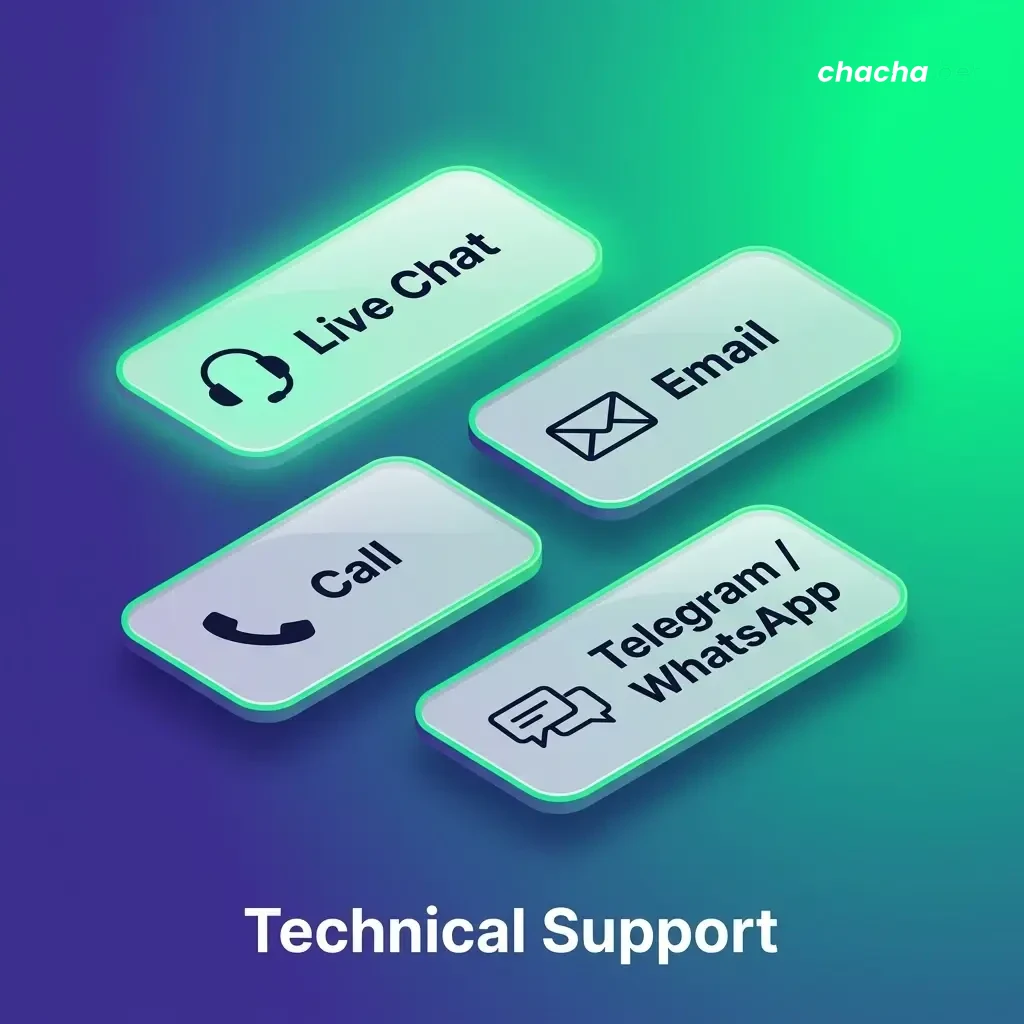
You can contact the technical support team via live chat, by selecting the “Technical Issue” category, or by sending a detailed email to the technical support address listed on the website. For payment-specific technical problems, use the dedicated payment support contact.
Issues Handled by Technical Support
- Login failures and two-factor authentication problems
- Deposit or withdrawal transactions that are delayed or failed
- Game loading errors or mid-session disconnections
- App crashes, display errors, or feature malfunctions
- Verification or KYC upload errors on the website
- Geolocation or access restrictions affecting the Netherlands
Contact Options
- Technical support email: Listed under the Contact section of the website
- Live chat: Available 24/7 for initial triage and escalation
- Phone: Use the main helpline number and select the technical support option from the menu
Expected Resolution Time
Minor issues such as login resets are often resolved within minutes via chat. More complex payment or platform issues may require 24 to 72 hours for full resolution, depending on third-party involvement.
Tips for Faster Technical Support
- Capture a screenshot or screen recording of the error before contacting support
- Note the exact time the issue occurred and the steps you took before it happened
- Include your device type, operating system, and browser version in your message
- Provide any error codes or messages shown on screen
- For payment issues, include the transaction ID and the amount involved
VIP and Priority Support
High-activity players and VIP members have access to a dedicated priority support service designed for faster response times and personalised assistance. This service is reserved for players who meet the eligibility criteria set by the platform.
How VIP Support Works
Once you qualify for VIP status, you are assigned a dedicated account manager or given access to a priority contact channel. This means your enquiries bypass the standard queue and are handled by a senior support agent.
Who Qualifies for Priority Support
Eligibility for VIP and priority support is based on:
- Deposit activity and betting volume over a defined period
- Active participation in VIP tier programmes
- Invitation by the platform following account review
If you believe you qualify but have not been contacted, you can enquire via the main support email using the subject line “VIP Support Enquiry.”
VIP Contact Options
- Dedicated support email: Provided upon VIP activation
- Priority live chat: Accessible through the VIP member portal
- Direct phone line: Assigned to eligible VIP members upon request
- Personal account manager: Available for top-tier players during scheduled hours
Expected Response Time
Priority support enquiries are typically addressed within 30 minutes via chat and within a few hours by email. Phone calls to the dedicated VIP line are answered without a standard wait queue.
How to Make the Most of VIP Support
- Use your dedicated contact channels for all enquiries to ensure priority routing
- Keep your account manager informed of any changes to your account or preferences
- Submit detailed queries to avoid back-and-forth and accelerate resolution
- Maintain your VIP status to retain access to priority service benefits
Updated:
Social Media and Messaging Support
Messaging platforms offer a convenient way to contact the support team when you prefer informal, asynchronous communication. These channels are useful for general questions and quick follow-ups.
Available Platforms
The Chachabet customer support team can be reached through:
When to Use Messaging Platforms
These channels work best for:
Expected Response Time
Telegram and WhatsApp responses typically arrive within 1 to 3 hours. Facebook Messenger and Twitter responses may take up to 24 hours. These channels are monitored daily but are not available 24/7 on all platforms.
Tips for Effective Messaging Support